





“Pc Computer Screen” photograph by janjf93, provided via Pixabay (Pixabay License). Retrieved from here. 
“Office Working Working Late Free Photo” photograph by GarethV, provided via NeedPix (Creative Commons) Retrieved from here. 
“Graphics card computer PC” photograph by IO-Images, provided via Pixabay (Pixabay license). Retrieved from here. 
“Line art vector clip art of laptop personal computer” clipart by OpenClipart, provided via Freesvg, (Public Domain). Retrieved from here. 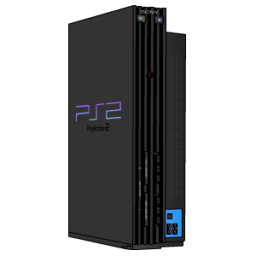
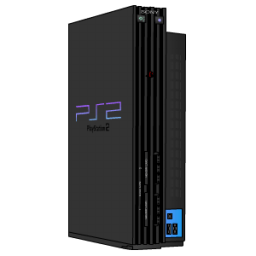
“PlayStation 2 standing black Icon” icon set by Skyonist, provided via IconArchive (Creative Commons License). Retrieved from here.
In the gallery above, I have included the 5 images that I used in conjunction to create the header image for this blog site. I have used all kinds of technology in the past including console gaming, various selections of monitors, and generally, computer technology. I tried my best to reflect this with the images I chose and also with the resulting image after editing them.
To make my life a bit easier, I created this header image with Pixlr, which is a free web-based photo editing engine which, I surprisingly found to be just as versatile as a locally ran software like Adobe Photoshop. When I was searching for images to use together for my header, I found myself trying to figure out what the idea behind it should be, but then it finally hit me, that technology is chaotically and rapidly progressing while leaving other technologies in the dust. I wanted to create the feeling of seeing that gap in technological advancement so I used an image as a primary layer, added a second image like the PlayStation over the first image, and used a blur filter on the primary layer to make it look like it was farther away. Also, these days, computer technology basically revolves around having components that are able to show a full RGB spectrum with their LEDs, so in the main center image of the 5 combined images, I have used a filter with dissects the Red, Green, and Blue layers in the image and equally spaces them to give it that gamer-y feel.
Playing around with these images took a long time because I really wanted to use all of them, but often times, found it hard to incorporate them all together on the same 2000 x 250 pixel image. However, with a few re-sizes, some mirroring and flipping and re-centering, some color correcting, and maybe some more size adjusting, I was able to create an image that really stood out to me and hopefully will stand out to those who look at it too! Overall, I enjoyed how easy it was to use free software and images that are in the public domain to create a personal and unique image that I can use anywhere online without having to worry about breaking the law. Hopefully, my project here can teach my readers to be smart about their decisions as every decision we make counts! Here at The TechCorner, we want to make sure that our readers accomplish their tasks the right way. Thanks for stopping by!

 TechCorner